

Back to Blog

SmartHub Tips – How to sign up for text or email outage alerts

FROM YOUR DESKTOP COMPUTER:

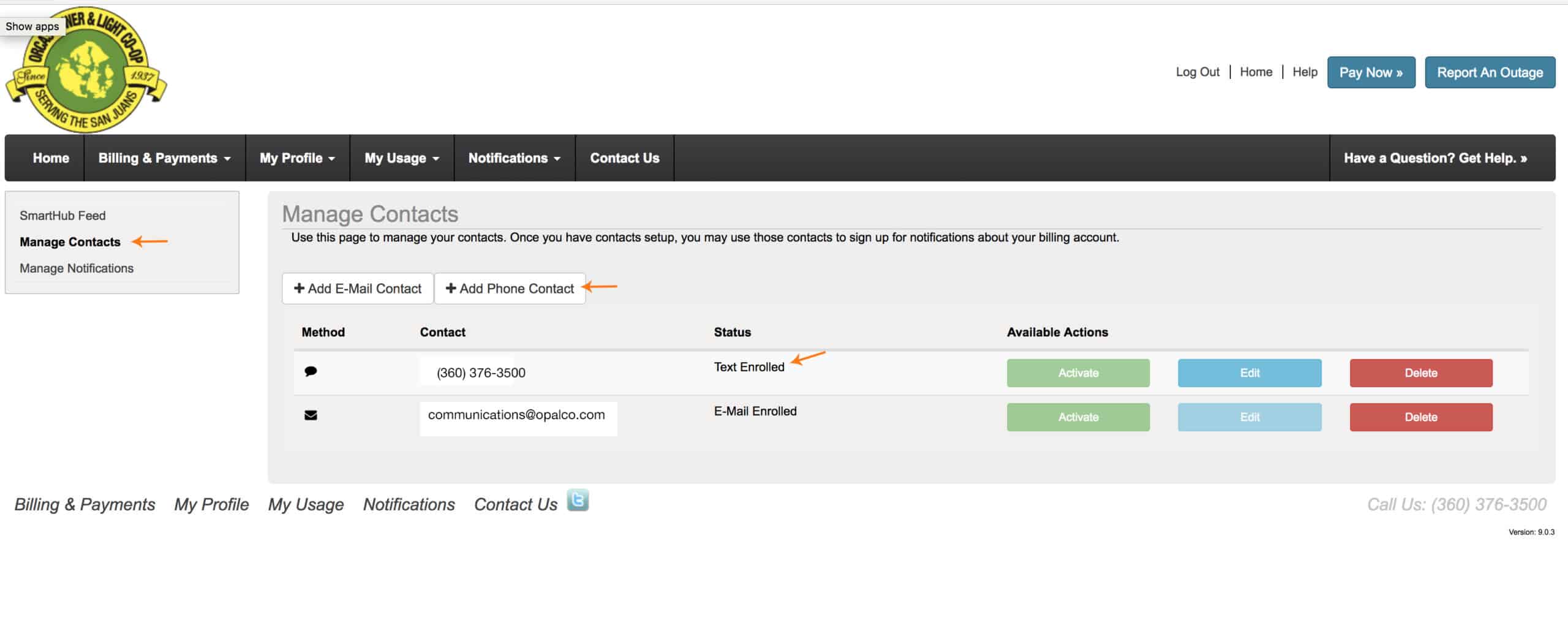
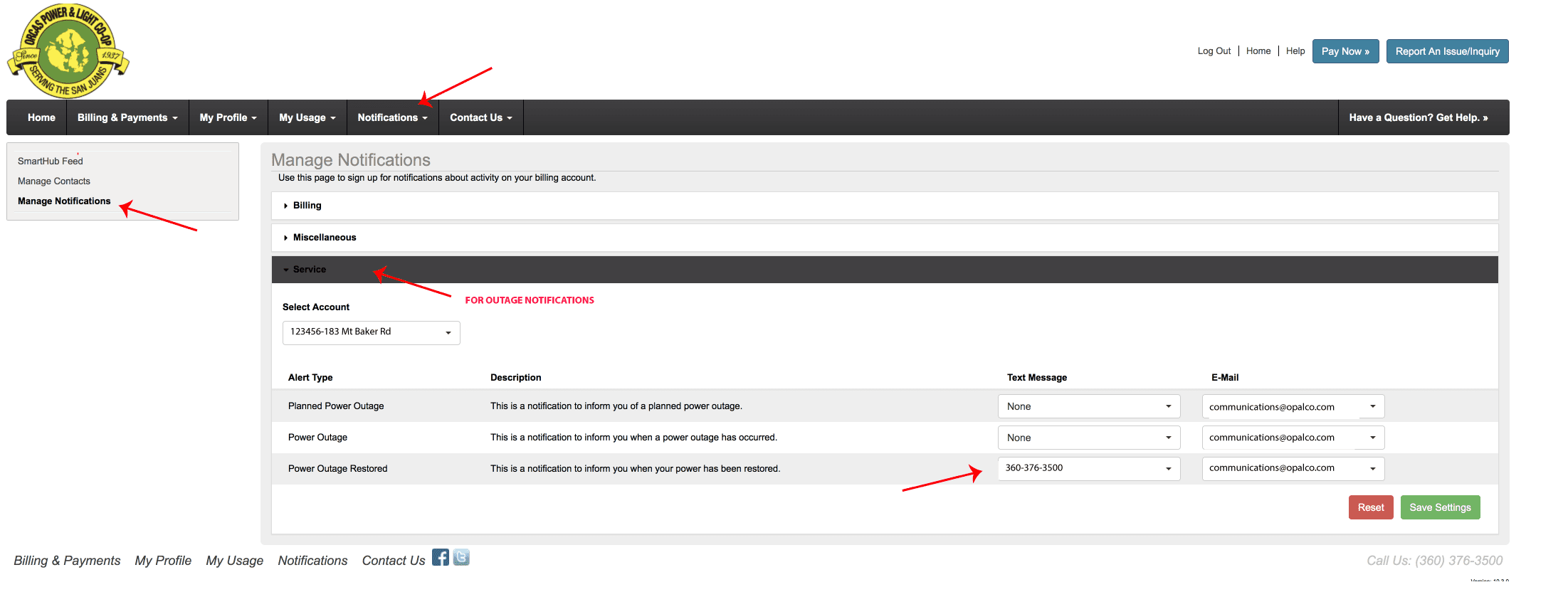
To sign up for text messages to alert you of an outage at your meter. Login to your SmartHub account. Go to Notifications.  Then go to Manage Contacts.  Enter your cell phone number and agree to terms and conditions.  THEN:   Go to the Notifications Tab, Manage Notifications and insert how you would like to be notified during an outage.
Watch this video on how to set this up on your iPhone. 

You may also like...

fixed versus variable

Quick Fact – OPALCO Rates

Balancing Cost, Benefit, and Fairness As a non-profit co-op, OPALCO keeps rates as low as possible by controlling expenses and pricing electricity at the residential and commercial cost of service. Though … Read more
Pie chart illustrating the breakout of OPALCO's costs. Updated December 2025.

Quick Fact: Cost of Service

Your power bill = the cost to deliver power Co-ops operate as a cost of service organization. The money OPALCO collects in bills goes primarily toward the cost of power, … Read more
OPALCO logo on scenic powerline background

Consider Running for the OPALCO Board

Your not-for-profit cooperative needs you! Are you feeling the itch to get involved in your community and be a local change-maker? The Orcas Power & Light Cooperative Board of Directors … Read more